Quick Summary
Website speed and local SEO are more connected than most local business owners realize; Google’s Core Web Vitals (LCP, INP, and CLS) are a confirmed ranking signal, and local search results are just as exposed to slow load times as national ones. For businesses competing in a defined geographic area, this matters even more, since local searches are overwhelmingly mobile, time-sensitive, and comparison-driven, meaning a two-second speed gap can cost a click before a visitor even reads the page.
The good news is that fixing website speed and local SEO issues rarely means rebuilding a site from scratch. Most gains come from compressing oversized images, cleaning up third-party scripts, stabilizing layout shifts, and monitoring scores per location page rather than once at the homepage level. A focused technical audit, not a redesign, is usually what moves rankings.
How Website Speed Affects Local SEO
Most local business owners assume a slow-loading page is just an annoyance for visitors. It’s actually a ranking problem. Website speed and local SEO are directly linked through Google’s Core Web Vitals, a set of page experience metrics that measure how fast, responsive, and visually stable a page feels to a real visitor. For a local business competing for the same handful of nearby customers, this connection often decides who shows up in the map pack and who gets buried on page two. This guide breaks down how website speed affects local SEO, what Core Web Vitals actually measure, and what to fix first to protect your rankings.
Why Website Speed and Local SEO Are More Connected Than People Assume
Local SEO has always been framed around citations, reviews, and a well-optimized Google Business Profile, and all three still carry real weight. But underneath all of it sits page experience, and Core Web Vitals are the specific metrics Google uses to score it. A plumber in Red Bank and a national retailer are judged against the same thresholds. The difference is that local searchers are almost always on their phones, often mid-errand, comparing three or four nearby businesses within seconds of each other. When website speed and local SEO fall out of sync, a page that loads two seconds slower than a competitor’s isn’t a small inconvenience; it’s a lost click before the visitor even sees what’s being offered.
This is one of the more common gaps our team sees when auditing local business websites through Mixed Media Ventures’ integrated digital marketing work. The content is often solid, and the service pages are structured well, but a bloated homepage or an unoptimized image library quietly holds back rankings that everything else on the page has already earned.
What Are Core Web Vitals, Exactly?
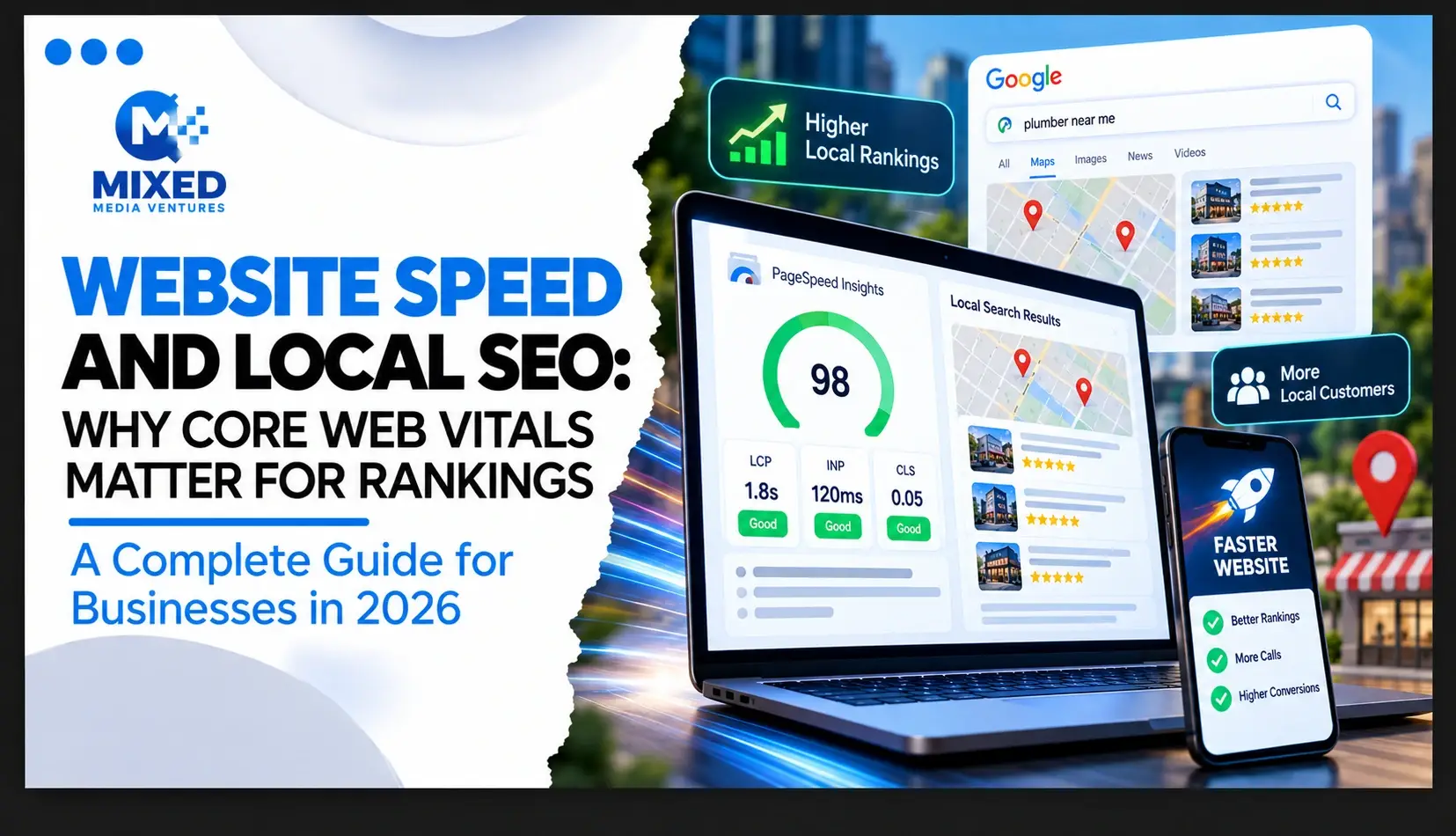
Core Web Vitals are three specific metrics Google uses to measure real-world page experience, and they sit at the center of the website speed and local SEO relationship:
- Largest Contentful Paint (LCP): how long it takes for the main content of a page to become visible. Google’s own Core Web Vitals documentation sets the “good” threshold at 2.5 seconds or less.
- Interaction to Next Paint (INP): how quickly a page responds after someone taps a button, opens a menu, or submits a form. The target is under 200 milliseconds.
- Cumulative Layout Shift (CLS): how much a page visually jumps around while loading, like a button shifting position right as someone tries to tap it. The target score is under 0.1.
Each metric captures a different kind of friction, and all three are scored separately inside Google Search Console and PageSpeed Insights. A site can pass one and fail another, which is exactly why a full technical audit; not a single speed test; is the only reliable way to diagnose what’s hurting local rankings.
Why These Three Metrics Specifically
Google didn’t choose these metrics arbitrarily. Each one maps directly to a moment that makes a visitor abandon a page: content that takes too long to appear, buttons that don’t respond, and layouts that shift unexpectedly. For a local business, every one of those moments is a potential lost lead; whether that’s someone tapping “Call Now” on a plumbing site or checking store hours before closing time.
How Website Speed Affects Local Search Rankings
Core Web Vitals feed directly into Google’s page experience assessment, and page experience is one of many signals used to rank pages in both organic results and the local map pack. Per Google’s Search Central guidance on Core Web Vitals as a ranking factor, good page experience aligns with what the company’s core ranking systems are already built to reward. The effect is rarely dramatic on its own, but it compounds. A slow site tends to also show:
- Higher bounce rates, signaling to Google that a page didn’t satisfy the intent behind the search.
- Lower average time on page, weakening the topical relevance signals a page has otherwise built.
- Fewer completed conversions: calls, form fills, direction requests, which affects the engagement signals Google increasingly factors into local visibility.
In competitive local categories; home services, medical practices, legal, and hospitality, among them ; where several businesses are optimized for the same core keywords, page experience is frequently the tiebreaker between page one and page two.
Why Local Businesses Are Especially Exposed to This
National and enterprise sites can sometimes absorb a slower load time because their authority and content depth are strong enough to compensate. Local businesses rarely have that same margin.
Mobile-first local search behavior. The overwhelming majority of “near me” searches happen on mobile, often on inconsistent connections. A page that loads fine on office Wi-Fi can feel painfully slow on a phone in a parking lot; exactly the moment a local search is happening.
Shorter decision windows. Someone searching for an emergency plumber or a same-day dentist appointment isn’t browsing five pages deep. They’re comparing the first three results and choosing whichever one loads and answers their question fastest.
Smaller margin for technical debt. Local business websites are frequently built on templated platforms with heavy plugins, oversized images, and unoptimized code that accumulates over years without a technical review; exactly the kind of debt that tanks Core Web Vitals scores.
A Real-World Example
Consider two HVAC companies competing for the same “AC repair near me” search in the same city. Both have similar review counts and comparable service pages. One site loads its hero image unoptimized at 4MB and takes 5.8 seconds to become interactive on mobile. The other has compressed the same visual to under 200KB and loads in 1.9 seconds. Assuming everything else is roughly equal, the faster site has a real, measurable advantage in both user behavior and Google’s page experience scoring; exactly the kind of gap that separates map pack visibility from a listing buried on page two.
Quick Core Web Vitals Checklist for Local SEO
Before a full audit, these are the fastest wins to check first:
- Compress and correctly size every homepage and service-page hero image; these are almost always the LCP element Google is measuring
- Audit every third-party script, chat widget, and tracking pixel, and remove anything not earning its place on the page
- Reserve fixed width and height for images, embeds, and ads so nothing shifts as the page loads
- Test each location page individually in PageSpeed Insights rather than relying on one homepage score
- Review hosting performance, since front-end fixes rarely compensate for a slow server response time
How to Improve Core Web Vitals for Local SEO
Image and Media Optimization
Compressing and properly sizing images is usually the single biggest lever for improving LCP, particularly on homepage banners and service page headers; often the exact “largest contentful” element Google is measuring.
Reducing Third-Party Scripts
Chat widgets, tracking pixels, and plugin bloat are common INP killers. An audit that identifies which scripts are actually earning their place on the page, versus which were added once and forgotten, often recovers significant interactivity speed.
Stabilizing Layout Before Load
CLS issues are usually fixable by reserving space for images, ads, and embedded content before they load, rather than letting the page reflow as elements pop in.
Server and Hosting Improvements
For sites on shared or outdated hosting, no amount of front-end optimization fully compensates for slow server response times. This is often where technical SEO and website design intersect directly, which is why the two are rarely treated as separate line items in an effective local strategy at Mixed Media Ventures.
Measuring and Monitoring Core Web Vitals
Google Search Console’s Core Web Vitals report and PageSpeed Insights are the two primary free tools for diagnosing where a site stands, both scored on real user data rather than a single lab test. For local businesses managing several location pages, it’s worth checking scores per template rather than assuming one homepage test represents the whole site; a slow location page can quietly suppress local SEO rankings in that specific market while the homepage performs fine.
This is also where ongoing monitoring matters more than a one-time fix. Plugin updates, new tracking scripts, and content additions can quietly erode Core Web Vitals scores over months, which is why speed should be a recurring line item in technical SEO reviews, not a project considered finished once.
How Mixed Media Ventures Approaches Website Speed and Local SEO
Integrated digital marketing work at Mixed Media Ventures treats site speed as a core ranking input, not an afterthought layered on after content and links are already in place. For local businesses across New Jersey, New York, and Las Vegas, this usually means a full technical audit alongside the SEO and content strategy, since a page can be perfectly optimized for keywords and still underperform in the map pack because of a slow-loading header image or an unoptimized plugin stack.
Industries with especially long research cycles feel this even more directly. In our senior living marketing guide, a Google Business Profile and location-based visibility carry the entire first impression for a family researching options online; the same page experience principles apply. A slow-loading location page doesn’t just frustrate a visitor; it can quietly cost a business the inquiry before a phone ever rings.
Final Thoughts
Website speed and local SEO aren’t separate conversations. Core Web Vitals are a direct, measurable ranking input, and for local businesses competing in mobile-first, short-attention-span searches, they’re often the difference between showing up in the map pack and getting buried behind a faster competitor. The fix is rarely a full rebuild; it’s usually a focused audit that finds the two or three things actually dragging load time down.
If you’re not sure where your site currently stands on Core Web Vitals, or how it’s affecting your local rankings, schedule a free strategy session, and we’ll walk through exactly what’s slowing you down and what to fix first. You can also review our case studies to see how similar local businesses improved rankings once these technical issues were fixed.
FAQs
1. Does website speed actually affect local SEO rankings?
Yes. Core Web Vitals are a confirmed Google ranking signal, and they apply to local search results the same way they apply to national organic results.
2. What are Core Web Vitals?
Three metrics Google uses to measure page experience: Largest Contentful Paint (loading speed), Interaction to Next Paint (responsiveness), and Cumulative Layout Shift (visual stability).
3. What’s a good Core Web Vitals score?
An LCP under 2.5 seconds, an INP under 200 milliseconds, and a CLS score under 0.1 are all considered “good” by Google’s published thresholds.
4. Why does site speed matter more for local businesses than national brands?
Local searches are overwhelmingly mobile, time-sensitive, and comparison-driven, so slow-loading pages lose clicks faster than they would in less urgent search categories.
5. What’s the fastest way to check my site’s Core Web Vitals?
Google Search Console’s Core Web Vitals report and PageSpeed Insights are both free and use real user data to score performance.
6. Do I need to rebuild my website to fix Core Web Vitals?
Usually not. Most issues come down to image optimization, script cleanup, and layout stability fixes rather than a full rebuild.
7. How often should Core Web Vitals be monitored?
Ideally as an ongoing part of technical SEO reviews, since plugin updates and content additions can degrade scores over time even after an initial fix.
8. Can slow website speed hurt Google Business Profile rankings too?
Indirectly, yes; page experience affects the organic and website-based signals Google increasingly factors into overall local visibility, including map pack performance.
9. What’s usually the biggest cause of slow load times on local business sites?
Oversized, uncompressed images and unnecessary third-party scripts are the most common culprits, particularly on templated website builds.
10. Where should a local business start if it doesn’t know where its site stands?
A full technical and Core Web Vitals audit is the right starting point; it identifies exactly which metric is failing and why before any fixes are made.